Case study
DHL IoT: Device Onboarding
Bringing devices onto the DHL IoT platform: a searchable, exportable device list, and a guided Add Device flow for reliable, repeatable registration. Administrators get a clear view of every device by type and activity, with quick per-device actions to configure each one or associate it with the applications that depend on it. Registration is broken into clear steps, each validating its inputs before the next, which makes a technical task approachable.
2
Parts: the device list, and the guided Add Device flow2
Ways to onboard: a single device, or devices in bulk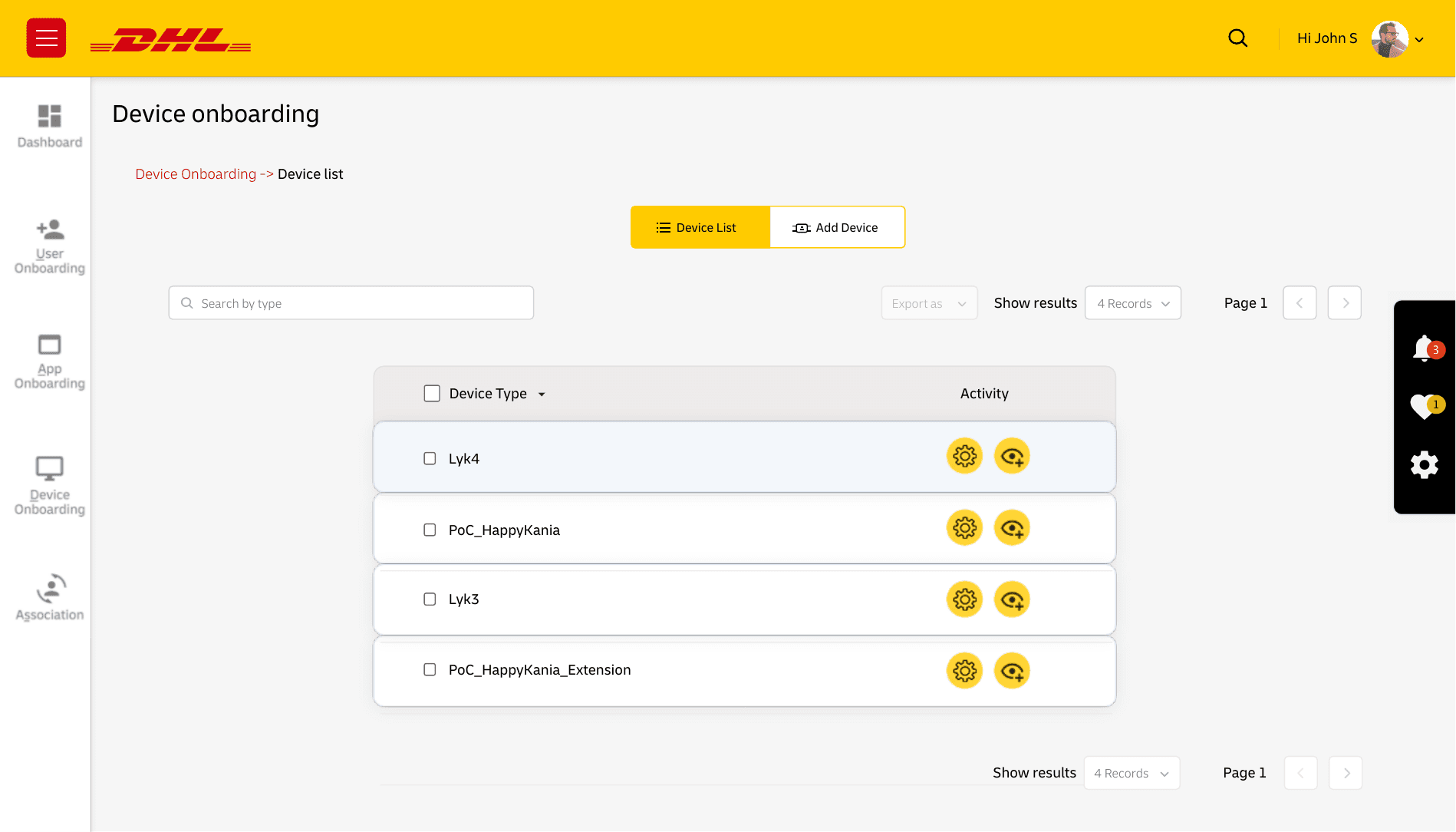
- Enterprise UX
- Interaction Design
- IoT
Devices are the platform's reason for being, and onboarding them has to be reliable and repeatable. The device-onboarding module manages the full device list and the flow to add, configure, and associate a new device.
- 1IA. A breadcrumb anchors the device list inside Device Onboarding, so the administrator always knows where they are.
- 2IA. Device List and Add Device are tabs of one module, so registering a device never loses the list.
- 3Components. Search by type sits above the list, narrowing devices before any scanning.
- 4Components. Export lives in the toolbar beside paging, so the list leaves the platform in one step.
- 5Components. Configure and associate actions sit on every row, so each device is managed in place.
The challenge
Registering a device is a technical task, and the people doing it are not always specialists. As the connected estate grows, every device still has to stay discoverable, configurable, and tied to the applications that depend on it.
- Registration had to be reliable and repeatable, not a one-off
- Errors in device details are costly once a device is in use
- Administrators needed to find any device quickly, by type and activity
Outcome
- A dependable way to grow the connected estate, keeping every device discoverable, configurable, and tied to the applications that depend on it
- A clearer onboarding journey that made registering devices approachable for non-specialist administrators
Continue reading
2 sections · 7 screens are protected. Enter the password, or request access.